A real estate business runs on follow-up. Leads come in from portals, the website, social media and open houses. Buyers need showings, sellers need updates, and every transaction has a long list of dates, documents and people to keep informed. Most agents handle all of that with a mix of a CRM, a calendar, a phone and a lot of memory.
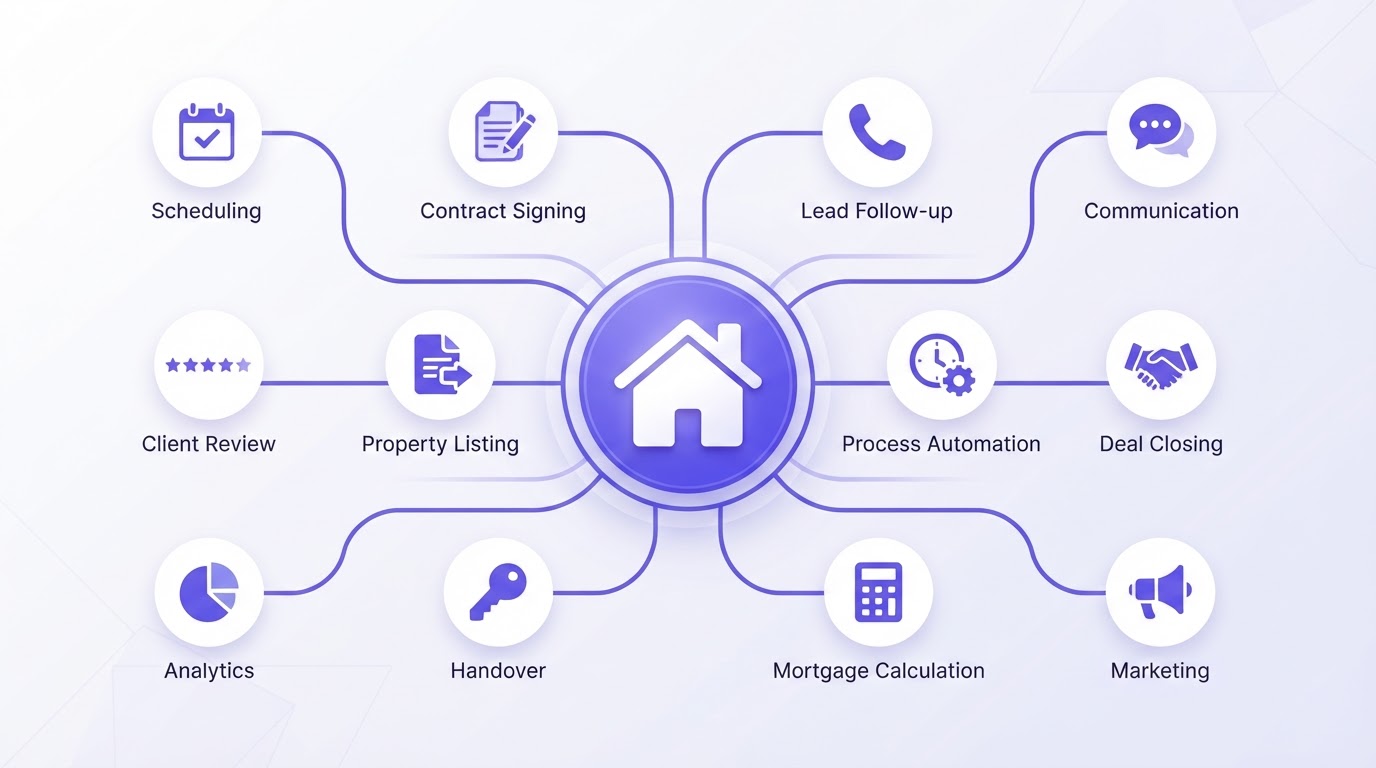
Real estate workflow automation takes the repetitive parts of that work off your plate, so you can spend your time with clients instead of on admin. Below are twelve workflows every agent, team and brokerage can set up, with what each one solves, how it works and what you need to run it.
Before you start: you do not need all twelve at once. Start with the one that costs you the most time or the most missed leads today, and add the rest step by step.
Want these workflows ready to go? Our Lead-to-Close System brings them together in one setup, built on CloudQonnect and configured around your business.
Explore the Lead-to-Close System1. Instant response to new leads
What it solves: leads from portals and your website often wait hours for a reply, by which time they have already contacted another agent.
How it works: every new lead receives a personal reply by text and email within a minute, with a question about what they are looking for and a link to book a call or a showing. The lead is created in your CRM and assigned to the right agent, who gets a notification.
What you need: a CRM that captures leads from all your sources, text and email sending, and clear rules for who gets which lead.
2. Missed-call text back
What it solves: calls you cannot answer during showings, closings or evenings are lost leads.
How it works: when a call goes unanswered, the caller automatically receives a text saying you will call back shortly and asking how you can help. Their reply lands in your inbox and in the CRM.
What you need: a business phone number connected to your CRM and text messaging. In the US, check that your business texting is registered for A2P 10DLC and that your messages follow the consent rules that apply to you.
3. Follow-up sequences
What it solves: most leads are not ready on the first contact, and manual follow-up stops after one or two attempts.
How it works: leads that do not book a call enter a sequence of messages over weeks or months, with useful content such as new listings in their area, market updates or buyer and seller guides. As soon as a lead replies or books, the sequence stops and an agent takes over.
What you need: email and text sequences in your CRM, with stop rules based on replies and bookings.
4. Appointments and reminders
What it solves: back-and-forth to find a time, and appointments that are forgotten.
How it works: clients book directly in your calendar through a booking link. They receive a confirmation and reminders by email and text, with the address and any preparation needed. If they need to reschedule, they can do it themselves.
What you need: an online calendar connected to your CRM, with your availability and buffer times set.
5. Showing scheduling
What it solves: coordinating showings between buyers, listing agents and sellers takes time and leads to double bookings.
How it works: buyers request a showing for a specific listing, the request is checked against the available slots, and confirmations go out to everyone involved. After the showing, the buyer automatically receives a short message asking for feedback.
What you need: a booking flow per listing or per agent, and templates for confirmations and feedback requests.
6. Updates at every transaction stage
What it solves: clients calling and emailing to ask where things stand.
How it works: each stage of a transaction, such as offer accepted, inspection, appraisal, financing approved and closing scheduled, is a stage in your CRM pipeline. Moving a deal to the next stage sends the client a clear update of what has happened and what comes next.
What you need: a pipeline with your transaction stages and a message template per stage.
7. Documents and e-signing
What it solves: chasing signatures and searching email for the latest version of a document.
How it works: when a deal reaches the right stage, the relevant documents are sent for e-signature automatically. Signed documents are stored with the contact, and reminders go out if a signature is outstanding.
What you need: e-signature built into your CRM or connected to it, and document templates per transaction type.
8. Review requests
What it solves: happy clients who never leave a review because nobody asked at the right moment.
How it works: a few days after closing, the client receives a personal thank-you with a direct link to leave a review. A reminder follows if they have not responded.
What you need: links to your review profiles and a trigger on the closing stage in your CRM.
9. Past client and referral nurture
What it solves: past clients are your best source of repeat business and referrals, but contact fades after closing.
How it works: past clients receive occasional, relevant messages: a home anniversary note, an annual value update, a seasonal check-in. When someone refers a friend, the referral is logged and the referrer is thanked automatically.
What you need: closing dates stored in your CRM, a yearly message schedule, and a simple way for clients to send referrals.
10. Open house follow-up
What it solves: sign-in sheets that end up in a folder and visitors who never hear from you again.
How it works: visitors sign in on a tablet or by scanning a QR code. That evening they receive a thank-you message with the listing details and similar properties. Visitors who are working with another agent are tagged accordingly; those who are not enter a follow-up sequence.
What you need: a digital sign-in form connected to your CRM and a follow-up template per open house.
11. Content for new listings
What it solves: every new listing needs descriptions, social posts and emails, and that work piles up.
How it works: when a listing is added, AI drafts the property description, social media posts and an email to matching buyers in your database. You review and approve, and the posts are scheduled through your social media scheduler.
What you need: listing details in a structured format, brand guidelines for tone of voice, and a social media scheduler connected to your CRM. Always review AI drafts, and check that listing content follows fair housing rules.
12. Pipeline reporting
What it solves: no clear view of where deals stand, which sources bring the best leads and where follow-up is falling behind.
How it works: a dashboard shows leads per source, response times, appointments booked, deals per stage and expected closings. A weekly summary is sent to the agent or team lead automatically.
What you need: consistent use of pipeline stages and lead sources in your CRM.
How to get started
- 1.List where your leads come from and how quickly each one gets a reply today.
- 2.Pick the one workflow that would make the biggest difference, often instant lead response or missed-call text back.
- 3.Write the messages in your own voice before you build anything.
- 4.Build and test the workflow with a few real leads, and check every message that goes out in the first weeks.
- 5.Add the next workflow once the first one runs smoothly.
Bringing it together
Each of these workflows helps on its own. The real benefit comes when they are connected in one system, so a lead moves from first contact to showing, transaction, closing and referral without anyone copying information between tools. That is what our Lead-to-Close System does: it brings these workflows together on CloudQonnect, configured around the way your business works.
If you want to know which workflows would pay off first in your business, our free audit maps how leads and transactions are handled today and what to automate first.
Frequently asked questions